Overview
Pouco2000 is a C++-based project providing a modular physical control panel for interacting with ROS-based robots.
The system includes:
- An Arduino library for defining hardware inputs and outputs
- ROS packages for serial communication, message extraction, and parameter introspection
- Utilities for visual monitoring and debugging in real-time
Motivation
Using only terminal commands or software interfaces to control and debug robots can be slow, especially in field environments.
Pouco2000 enables the integration of physical components such as buttons, knobs, switches, and displays to control and debug robots efficiently.
With this hardware-software setup, developers can:
- Trigger actions with switches or buttons
- Adjust parameters with knobs or sliders
- Monitor system feedback using LEDs or console tools
- Deploy in local or remote ROS configurations
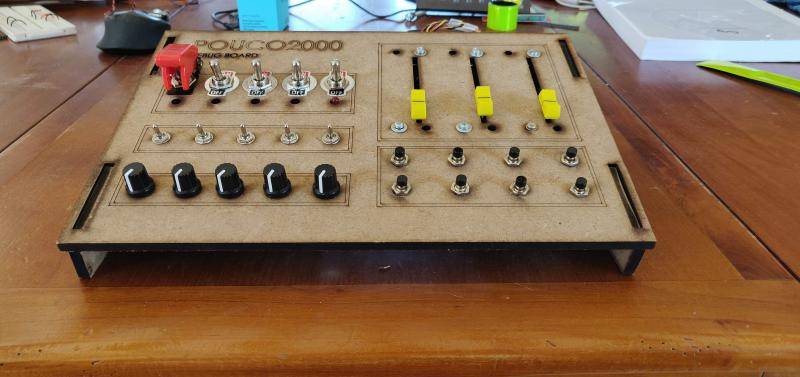
The Fig. 1 shows a control desk made for the project. The wooden parts were laser-cut and assembled to form the enclosure.
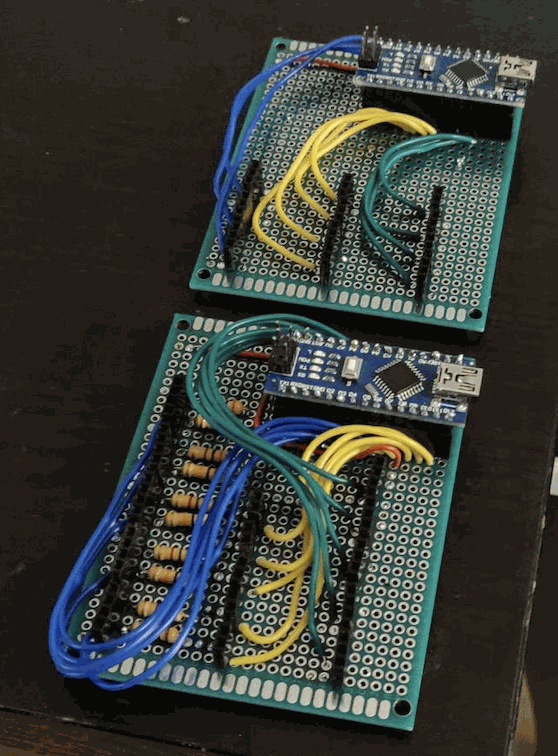
The Fig. 2 shows early electronic board prototypes. Two Arduino boards were used initially, allowing multiple microcontrollers to handle various inputs without limitations.
System Architecture
High-Level Diagram
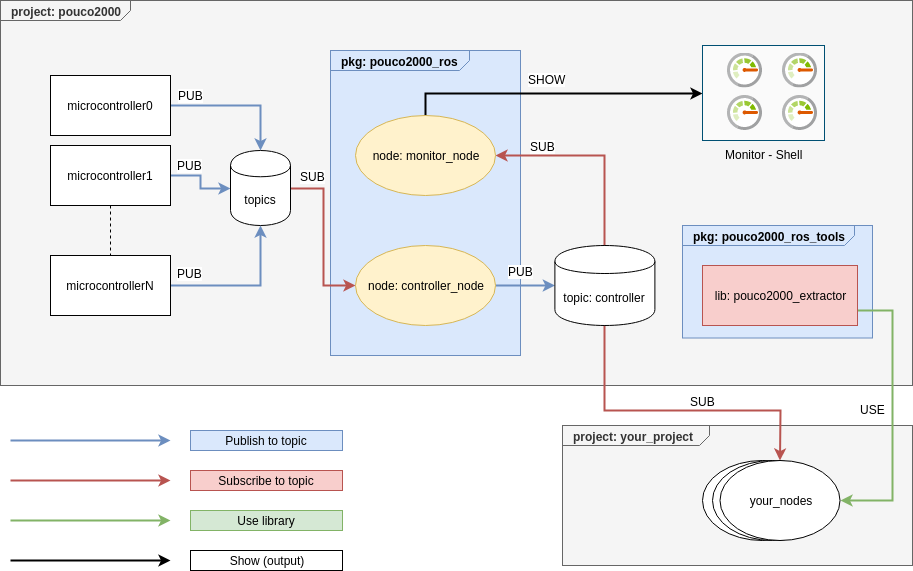
Structure
The ROS side consists of two meta-packages:
- pouco2000_src
pouco2000_ros: main communication layerpouco2000_msgs: custom message definitionspouco2000_tools: utilities for data extraction and filtering
- pouco2000_examples
pouco2000_popup,pouco2000_demo,pouco2000_gazebo: usage examples
ROS Side
pouco2000_ros
The main communication package gathers data from the microcontroller and republishes it in structured ROS messages.
Core libraries:
pouco2000: Controller class definitionpouco2000_debug: logging and visualization toolspouco2000_introspection: publishes filtered message subsetspouco2000_monitor: terminal-based live monitoring
Nodes:
controller_node– Subscribes to microcontroller inputs and publishespouco2000::Controllermessagesmonitor_node– Displays parsed message data in the terminal
pouco2000_ros_tools
Provides reusable C++ extractors to access parts of the controller message:
| Field | Method | Purpose |
|---|---|---|
| Buttons | is_push() | Check if a button is pressed |
| SwitchOnOff | is_on() | Check if switch is ON |
| SwitchMode | is_mode(mode) | Check active mode of a switch |
Arduino Side
The pouco2000_ard library abstracts hardware elements and communicates with ROS using rosserial.
Typical workflow:
- Define pin arrays
- Create handle objects for each input/output type
- Initialize in
setup()and update inloop()
Typedefs simplify code:
typedef Handle<Button, Buttons::_data_type, Buttons> HandleButtons;
Arduino examples are available in the IDE (File > Examples > pouco2000_ard).
Message Format
The main message type is pouco2000::Controller:
Header header
bool[] buttons
bool[] switchs_on_off
uint8[] switchs_mode
float32[] potentiometers_circle
float32[] potentiometers_slider
Example Configurations
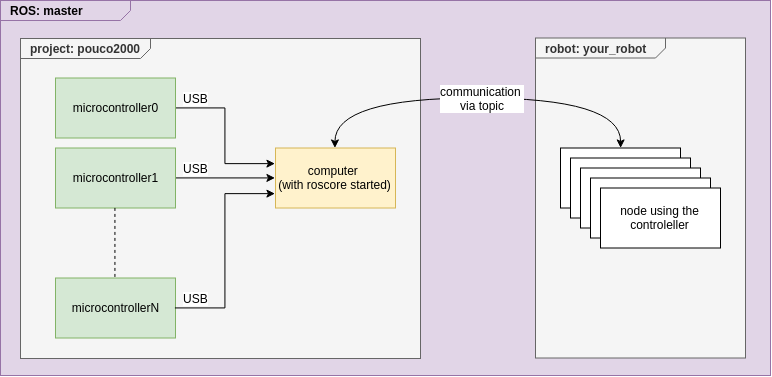
Remote Setup (multi-machine)
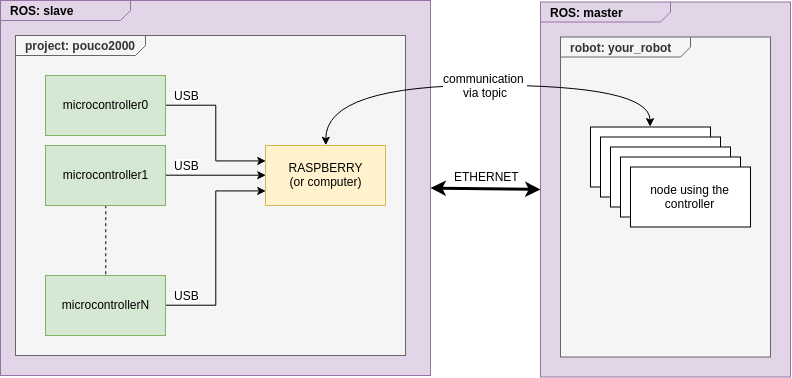
Local Setup (direct USB, serial)
Monitor Tool
Launch controller:
roslaunch pouco2000_ros release.launch
Optional: launch monitor:
roslaunch pouco2000_ros monitor.launch
Documentation
Doxygen documentation can be generated with:
catkin build
The documentation will be available in each package’s doc/ directory.