Motivation
Bus schedules are difficult to follow because of uncertain traffic conditions.
For this reason, I decided to use the available data to build a tool that allows quick visualization of the schedules for a given station.
There is already a developed solution, but it requires several clicks before reaching the information.
The idea is simple: make the information as raw and as fast to access as possible.
The solution is therefore to display the buses of a station directly, accessible through a single link.
Demo works only when the service is ON.
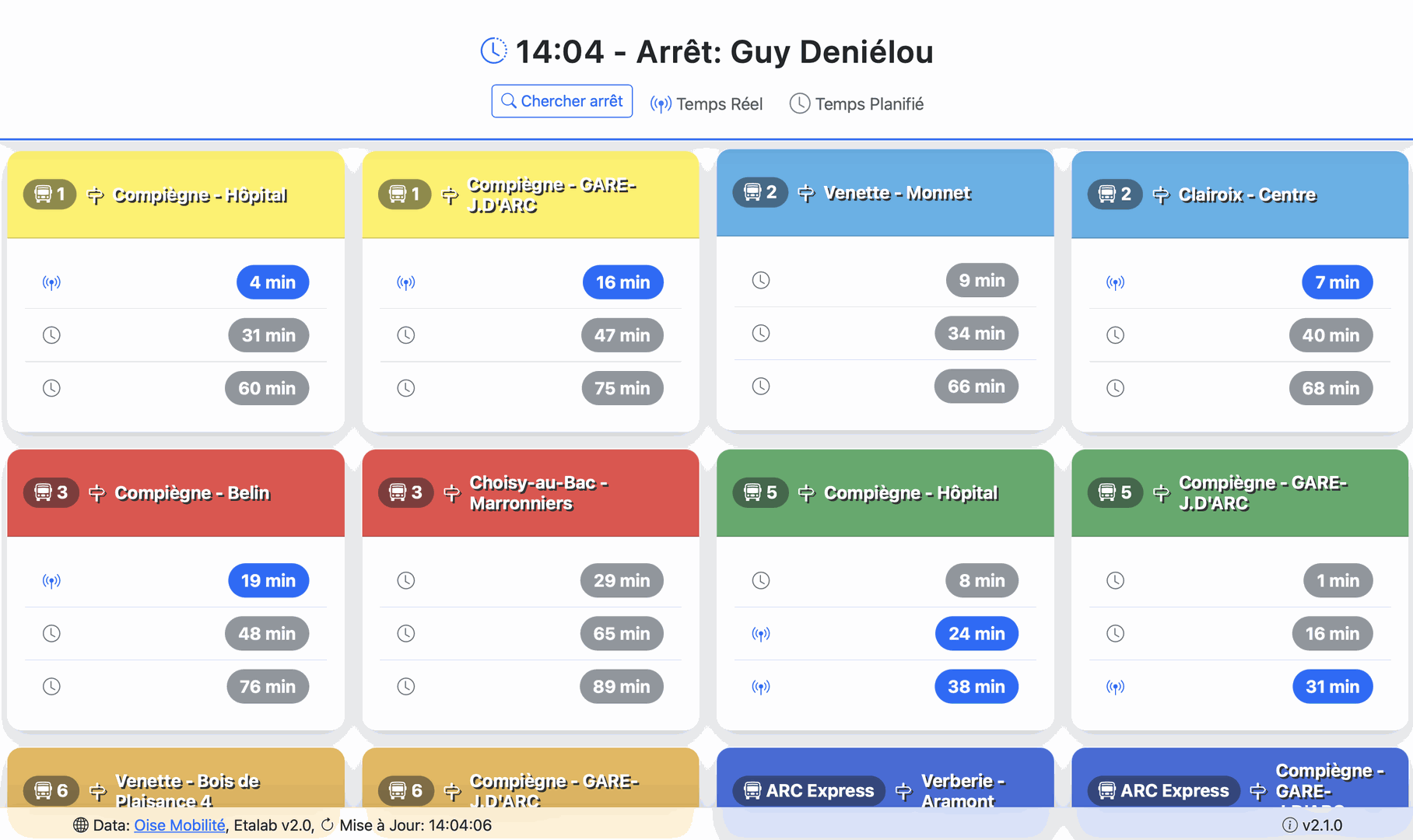
Feature
By default, the original application provides a 2D projection of the buses.
However, I believe this representation is too heavy and makes the information harder to interpret quickly.
I therefore decided to use the data differently, projecting it into a one-dimensional space, similar to a metro line diagram.
This way, the information becomes much clearer and easier to understand.
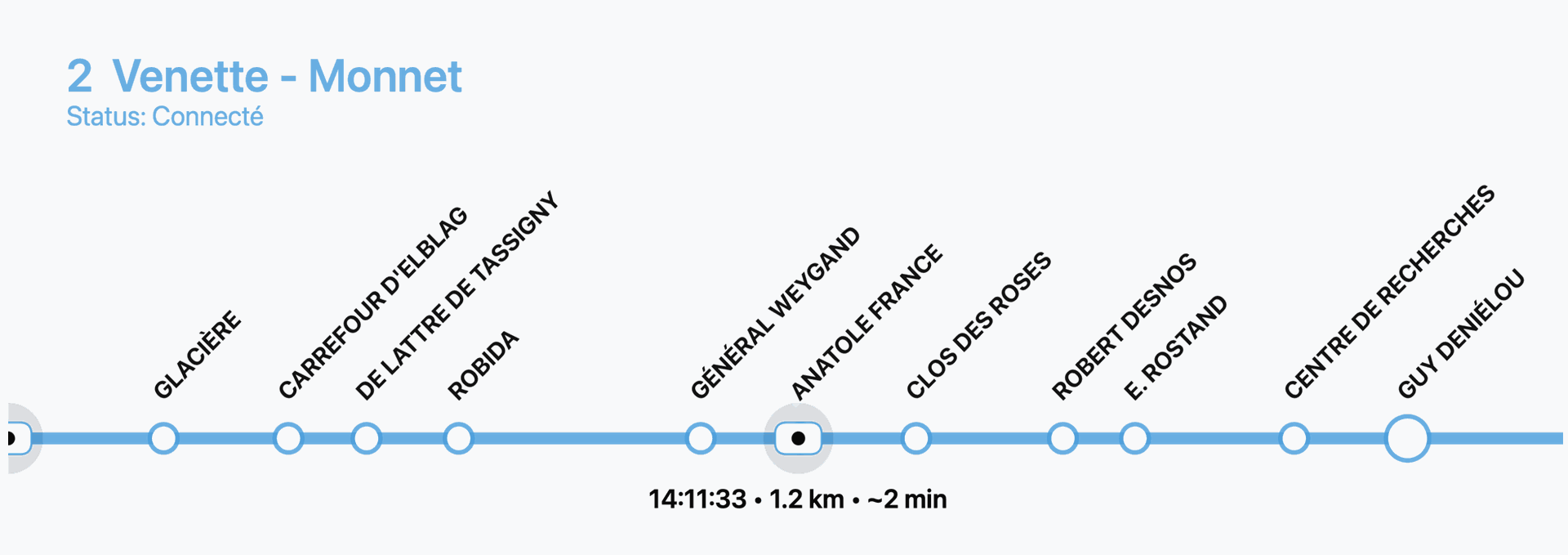
Projection Explained
- Traditional bus apps use a 2D map to show vehicle positions. While accurate, it forces users to interpret distances on a map, zoom in/out, and deal with extra visual clutter.
- Panel Bus simplifies this by projecting all bus stops onto a 1D axis (like a metro plan).
- Buses are then placed along this axis depending on their GPS position between stations.
- Distances between stops are preserved, so users immediately see:
- The current position of each bus.
- How far it is from the target station.
- The order of buses along the line.
This projection turns raw geolocation into a clean, readable timeline of stations and bus movements.
Code Concept
The application is written in JavaScript and designed around a few key ideas:
- Fast Access – Fetch live or scheduled bus data directly from the Oisemob API with a single link.
- Simple Display – Show upcoming departures in clean cards (line, direction, next times).
- Always Fresh – Auto-refresh data every 10 seconds, ensuring users see live updates.
- Lightweight Tracking – Replace a complex 2D map with a 1D metro-style line to show bus positions clearly and quickly.
- Multilingual Support – Interface works in both French and English, adapting to the browser or URL.
- Search Module – Users can search for a station by name and directly access its live departures.
API Requests
The app relies on the official Oisemob API to fetch live bus data:
Next Departures:
https://api.oisemob.cityway.fr/media/api/v1/fr/Schedules/LogicalStop/{stationID}/NextDeparture?realTime=trueLine Stops:
https://api.oisemob.cityway.fr:443/api/map/v2/GetLineStops/json?Line={lineId}&Direction={directionId}Vehicle Positions (WebSocket):
wss://api.oisemob.cityway.fr/sdh/vehiclesStation Search:
https://api.oisemob.cityway.fr/search/all?keywords={query}&maxitems=200&objectTypes=2&includedPoiCategories=3
Data
Data source: Oise Mobilité, Etalab v2.0.